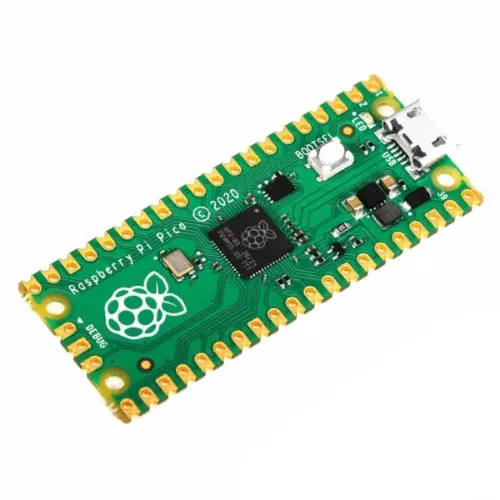
Specifications
- 21 mm × 51 mm form factor
- RP2040 microcontroller chip designed by Raspberry Pi in the UK
- Dual-core Arm Cortex-M0+ processor, flexible clock running up to 133 MHz
- 264KB on-chip SRAM
- 2MB on-board QSPI Flash
- 26 multifunction GPIO pins, including 3 analogue inputs
- 2 × UART, 2 × SPI controllers, 2 × I2C controllers, 16 × PWM channels
- 1 × USB 1.1 controller and PHY, with host and device support
- 8 × Programmable I/O (PIO) state machines for custom peripheral support
- Supported input power 1.8–5.5V DC
- Operating temperature -20°C to +85°C
- Castellated module allows soldering direct to carrier boards
- Drag-and-drop programming using mass storage over USB
- Low-power sleep and dormant modes
- Accurate on-chip clock
- Temperature sensor
- Accelerated integer and floating-point libraries on-chip
Coding Via Arduino IDE
- Put this link in the Additional Boards Manager URLs (File>Preferences) under the Preferences tab in your Arduino IDE
- https://github.com/earlephilhower/arduino-pico/releases/download/global/package_rp2040_index.json
- Select Tools>Board>Board Manager and search for “Pico” and select “Raspberry Pi Pico/ RP2040” to install.
- Now everything set up for you to code your Pico using Arduino IDE